
Cart is empty


HP Stereo 3.5mm Headset
Special Price LKR 2500.00
Regular Price:
- Islandwide Delivery Available
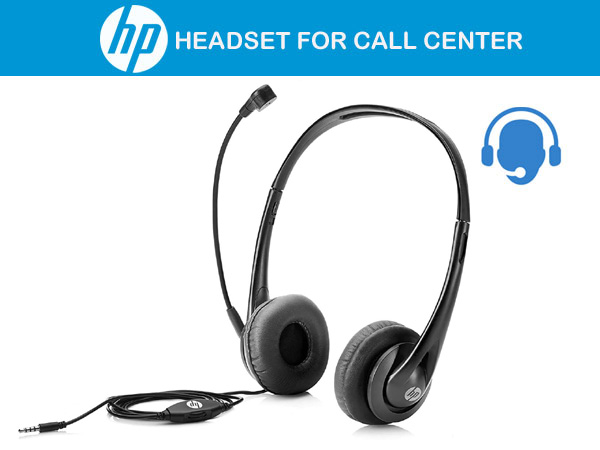
HP Stereo 3.5mm Headset
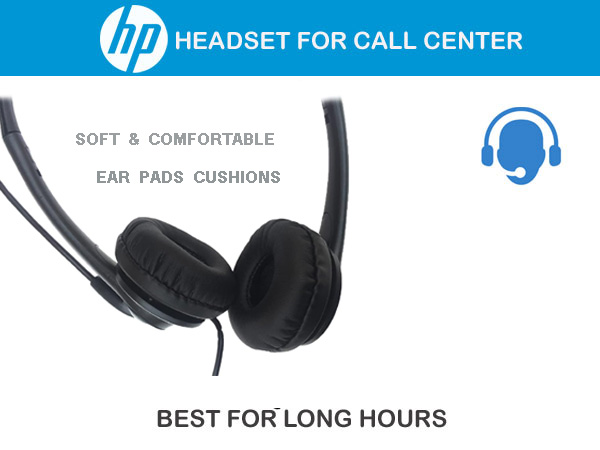
The HP Stereo 3.5mm Headset is a lightweight, professional-grade wired headset engineered for call centers, office spaces, and online collaboration. Designed with an adjustable headband, padded leatherette earcups, and an adjustable noise-canceling boom microphone, it provides all-day comfort and clear voice transmission for VoIP platforms, Zoom, Teams, and Skype for Business.
- Stereo-Headset
- Black colour
- On-Ear
- Connectivity technology: wired
- With microphone
- Headphone jack 3.5 mm
Plug right in and get ready to speak and hear clearly all day. With a comfortable design and easy adjustment, your sound comfort will carry you from call to call without interference or frustration.
-
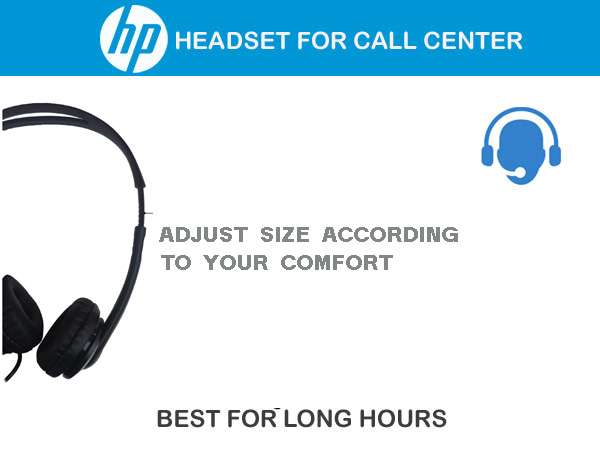
Design & Form Factor: On-ear (supra-aural) binaural stereo configuration with soft earpads and a lightweight, durable headband.
-
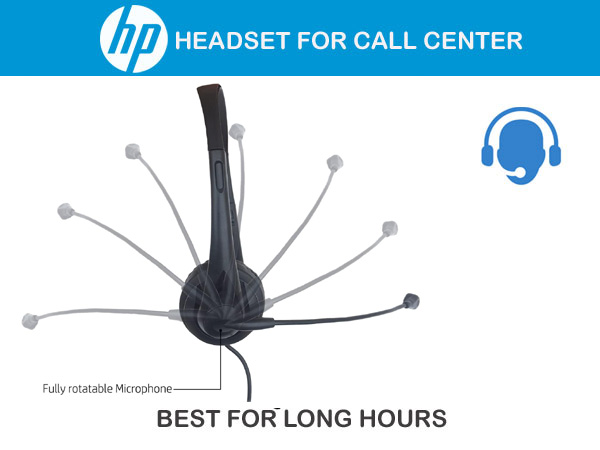
Microphone: Flexible, rotatable boom microphone with background noise cancellation to ensure crisp voice quality during calls.
-
In-Line Control: Features an integrated in-line control module along the cable for convenient real-time volume adjustment.
-
Connectivity: Standard 3.5mm CTIA 4-pole TRRS audio jack offering plug-and-play compatibility across laptops, desktops, and mobile devices.
Interface | Connector: 3.5mm Audio Jack (CTIA standard)
Audio Output Mode: Stereo
Headphone Impedance: 32 Ohms
Headphone Frequency Response: 20 Hz – 20,000 Hz
Microphone Type: Unidirectional Boom Mic (Noise-Cancelling)
Microphone Impedance: 680 Ω to 2.2k Ω
Microphone Frequency Response: 100 Hz – 10,000 Hz
Cable Length: 1.8 m to 2.2 m
Weight: 86 g (3.03 oz)
Dimensions (W x D x H): 146 x 164 x 58 mm (5.74 x 6.45 x 2.16 in)
-
Plug the 3.5mm audio jack directly into the combo headphone/microphone audio port on your PC, laptop, tablet, or smartphone.
-
Note: If using a desktop computer with separate green (headphone) and pink (microphone) 3.5mm ports, a 3.5mm TRRS female to dual 3.5mm TRS male splitter cable is required.
-
Single Combo Jack (Laptops & Mobile): Plug the 3.5mm TRRS (CTIA) jack directly into the audio combo port on your device.
-
Dual Port Desktop PCs: If your desktop has separate green (Audio Out) and pink (Mic In) jacks, a 3.5mm TRRS female to dual 3.5mm TRS male adapter/splitter is required for both the speakers and microphone to function simultaneously.
Windows 10 / 11
-
Connect the headset to your computer.
-
Go to Settings > System > Sound.
-
Under Output, set your device to Headphones / Realtek High Definition Audio (or your system's default analog sound driver).
-
Under Input, set your device to Microphone / Realtek High Definition Audio.
-
Click Device Properties under Input to test your microphone level and adjust gains if necessary.
macOS
-
Plug the 3.5mm jack into the headphone port.
-
Go to System Settings > Sound.
-
In the Output tab, select Headphones / Built-in Output.
-
In the Input tab, select External Microphone / Built-in Input.
ChromeOS
-
Click the status area (clock) in the bottom-right corner.
-
Click the arrow next to the volume slider.
-
Under Output, choose Mic/Headphone Jack.
-
Under Input, select Mic/Headphone Jack.
3. App-Specific Setup (Zoom / Teams / Call Center Software)
-
Microsoft Teams: Go to Settings > Devices > Select Custom Setup or PC Mic and Speakers under Audio Devices.
-
Zoom: Go to Settings > Audio > Set Speaker and Microphone to Same as System or your computer's built-in sound card.
-
In-Line Control: Use the integrated wheel/pod on the cable for instant volume adjustments during live calls.
-
Primary Purpose: Built specifically for high-volume voice calls, office tasks, call centers, and distance learning.
-
Plug & Play Connectivity: Uses a universal 3.5mm TRRS (CTIA) single-plug setup for instant, driverless connection with laptops, desktops, mobile devices, and Chromebooks.
-
Noise-Cancelling Boom Mic: Equipped with an adjustable, flexible unidirectional microphone designed to filter out background noise for crisp voice transmission during calls.
-
All-Day Comfort Build: Exceptionally lightweight (approx. 85 g to 88 g) with an adjustable headband and soft, vegan leatherette ear padding to prevent ear fatigue.
-
In-Line Controls: Integrated inline control pod allows quick adjustments to audio volume and microphone mute on the fly.
-
Broad Compatibility: Works seamlessly across Windows 10/11, macOS, and ChromeOS (Works With Chromebook certified).