
Cart is empty
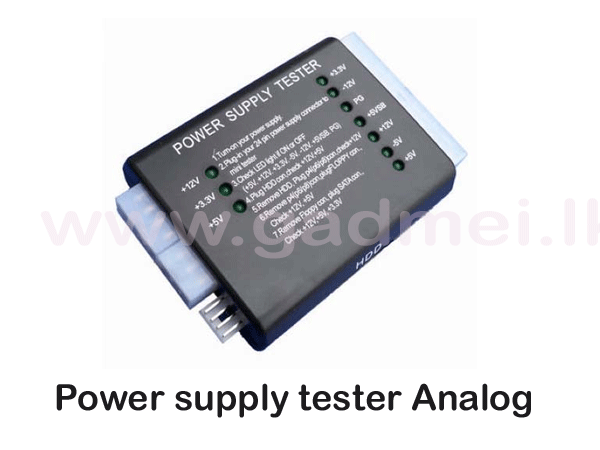


Power supply tester Analog
Special Price LKR 1500.00
Regular Price:
- Islandwide Delivery Available
- The power supply tester is a robust voltage tester for PC power supplies. ATX, BTX, and ITX-compliant power supplies can be tested. LCD's indicate the status of voltage
- The PC / SPS is suitable for the ambitious hobbyist, as well as for a quick functional check in a specialized trade
- Plug power supply 24 PIN and P4, P6, or P8 into the corresponding jack of the power test suite
- Power on the device; you will hear a "DuDu" sounding ring. If there is no flickering with the device, then the power supply output voltage is normal
· Indicator Lights: Features built-in LED indicators for voltage rails (e.g., +12V, -12V, +5V, -5V, +3.3V, and +5VSB). A glowing green LED typically indicates that the power output is safe and OK
· Universal Connectivity: Includes plug-and-play sockets for 20-pin/24-pin main ATX cables, SATA, 4-pin/8-pin CPU, 6-pin PCI-e, and standard Molex (HDD) connectors.
· Power Good (PG) Signal: Includes an LED to verify the "Power Good" signal, ensuring the PSU sends the correct startup signal to the motherboard.
· Compact & Battery-Free: Plugs directly into the power supply to draw its operating power, requiring no batteries
HOW TO USE:
Plug the 24-pin and CPU 8-pin connectors from your power supply into the corresponding sockets on the tester.
- Plug the PSU into the wall and turn on its power switch.
- Observe the LEDs. If all the required voltage lights glow steadily, your power supply is operating normally.
- If a light fails to turn on or blinks, it indicates an abnormal voltage, allowing you to troubleshoot faulty units and prevent damage to expensive PC components like the CPU or GPU.
An LED power supply tester is a compact diagnostic tool that quickly checks ATX, BTX, and ITX power supply units (PSUs).
It uses a series of LED lights to indicate the status of various voltage rails and signals, verifying if the power supply is working safely before connecting it to a motherboard.